 ZANSHIN
Your key
One key opens the API and the TradingView extension. Make it here, paste it where it's going, and it works within seconds. The docs have every endpoint.
Name it after the computer or the tool. Three at a time.
( 02 )Paste it in TradingViewClick the Z in your toolbar, paste, Save. The levels appear.
( 03 )Or call it yourselfcurl, JavaScript or Python: the key in the header, the symbol in the query.
| Name | Last used | Today |
|---|
A fourth key signs out the oldest. Keys stop while the subscription or trial is inactive.
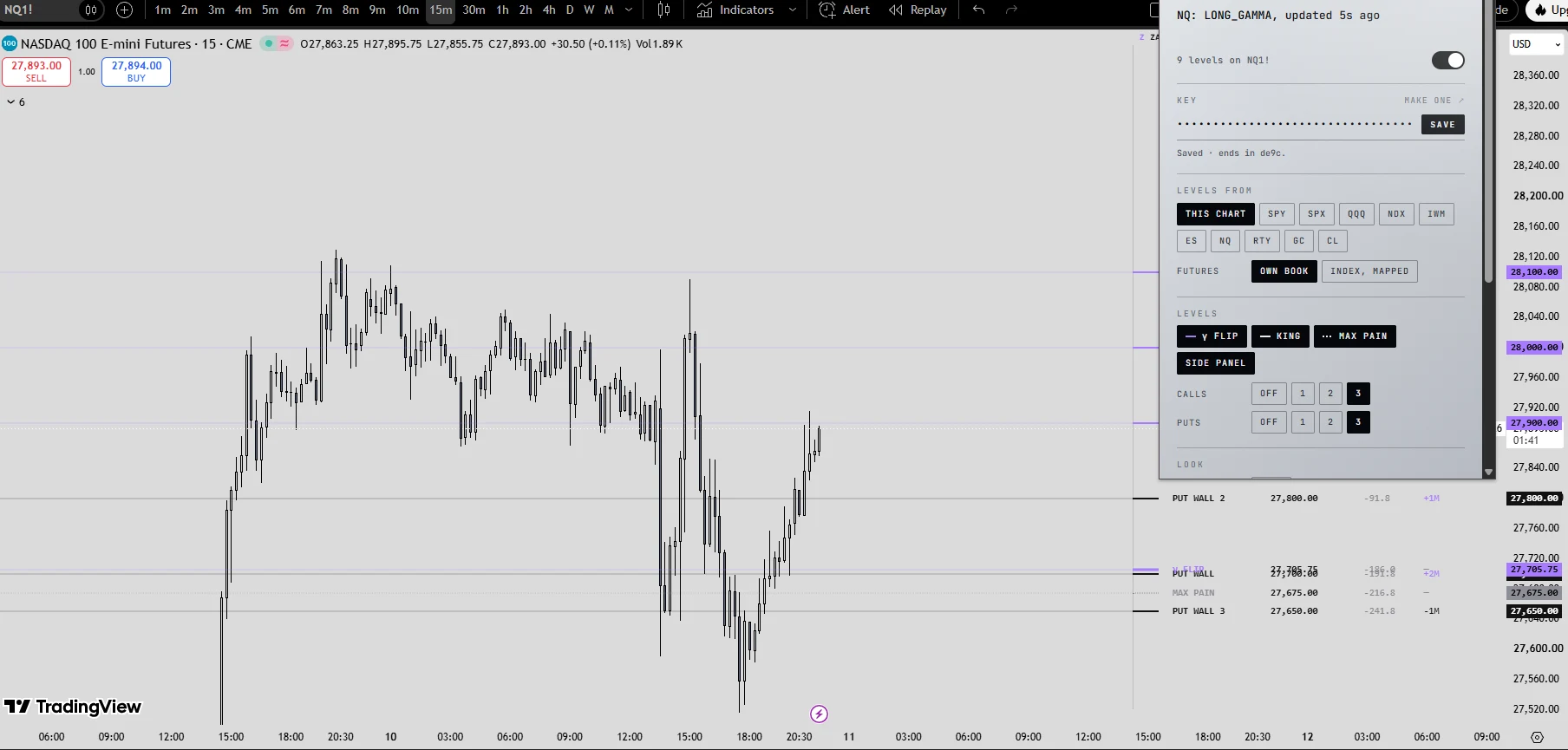
- 01Add the extension from the Chrome Web Store. Chrome, Edge, Brave and Arc.
- 02Make a key above, named after the computer.
- 03Click the Z, paste the key, Save. Open a chart of any of the ten books.
The extension asks for levels every 10 seconds while a chart is open; those count in your usage under levels.
https://www.zanshinflow.com/api/v1/
AuthAuthorization: Bearer zsmw_…
Freshwithin about 10 seconds of the app
Limit120 requests a minute per key
Every endpoint, with real example answers, in the docs. History by request (any session, any book: levels by minute, gamma by strike, the gamma series) is built and tried on Research.
| Endpoint | Today | 7 days | 30 days |
|---|
Counts can trail by about a minute. A signed-out key can keep working for up to five minutes. Not financial advice: the levels are Zanshin Flow's estimates of dealer positioning.